Dashboard UI KIT: Streamlining Your Design Workflow
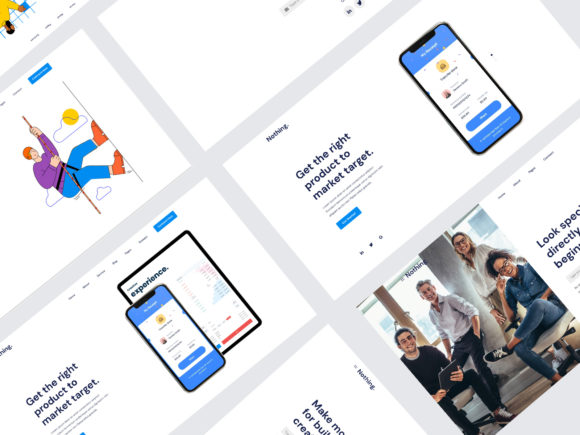
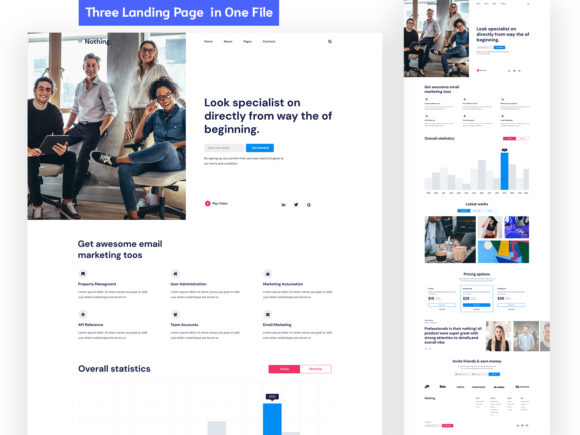
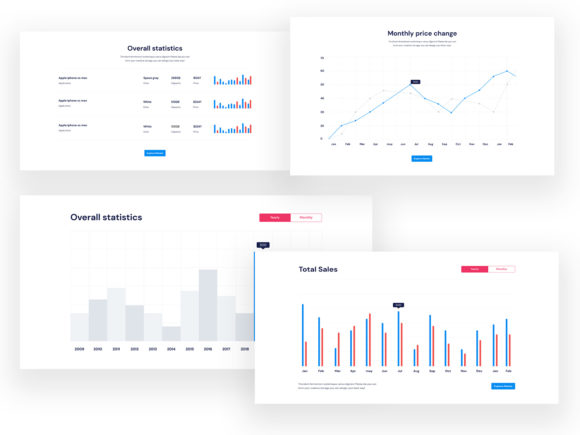
Dashboard UI KIT is a comprehensive collection of 400 design blocks crafted to enhance the efficiency and quality of your web design projects. Designed with a focus on usability, organization, and flexibility, this toolkit offers a wide range of elements that cater to various design needs. Whether you're working on a landing page, an app interface, or a complex dashboard, Dashboard UI KIT provides the building blocks necessary to create a polished and professional user interface.
Integrated into popular design platforms like Sketch, Figma, and Adobe XD, Dashboard UI KIT ensures compatibility and ease of use across different workflows. Its well-structured layout allows for quick access to components, making it an ideal resource for both seasoned designers and those new to the field. With its emphasis on consistency and adaptability, this toolkit can significantly reduce the time spent on repetitive tasks, allowing more focus on creativity and innovation.
Understanding the Scope of Dashboard UI KIT
The Dashboard UI KIT is organized into 20 popular content categories, each containing a variety of layouts and elements. This categorization makes it easier to locate specific components, whether you need a header section, navigation style, or a custom vector shape. The inclusion of 43 header section styles and 32 different navigation styles ensures that you have a wide range of options to choose from, enabling you to tailor your designs to fit your unique requirements.
Moreover, the toolkit includes a style guide, text styles, Google Fonts, and vector shapes, all of which contribute to a cohesive and visually appealing design. These resources help maintain a consistent look and feel throughout your project, which is essential for creating a seamless user experience. By using Dashboard UI KIT, you can ensure that your designs are not only functional but also aesthetically pleasing.
Integrating Dashboard UI KIT into Your Workflow
Dashboard UI KIT can be a valuable asset at various stages of your design process. Before starting a project, it can serve as a reference point for understanding best practices and design principles. During the development phase, it can act as a foundation for building out your interface, saving you time and effort. After completing a project, it can be used to refine and improve your designs based on feedback and testing results.
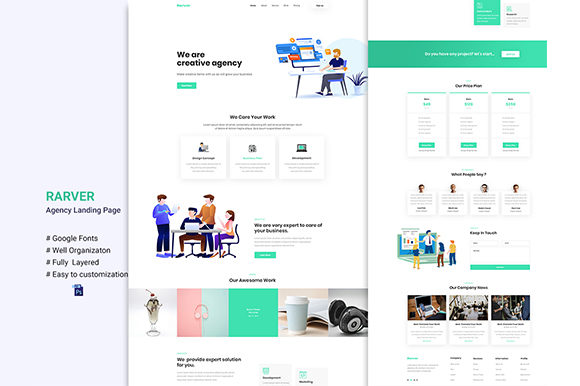
For instance, when designing a landing page, you can use the 20 ready-to-use templates provided in Dashboard UI KIT as a starting point. These templates are designed to be fully editable, allowing you to customize them according to your brand's identity and messaging. By leveraging these pre-designed elements, you can quickly prototype and iterate on your ideas without having to start from scratch.
Enhancing Collaboration and Efficiency
One of the key benefits of Dashboard UI KIT is its ability to facilitate collaboration among team members. The well-organized structure of the toolkit ensures that everyone involved in the design process can easily find and use the components they need. This is particularly useful when working on large-scale projects where multiple designers may be contributing to different parts of the interface.
In addition, the use of symbols and reusable elements within Dashboard UI KIT promotes consistency across your designs. This is especially important when working with a team, as it helps maintain a unified visual language throughout the project. By establishing clear guidelines and standards, you can streamline the design process and reduce the likelihood of errors or inconsistencies.
Practical Tips for Using Dashboard UI KIT
To make the most of Dashboard UI KIT, it's essential to plan your design process carefully. Start by identifying the specific needs of your project and determining which components from the toolkit will be most useful. This will help you avoid unnecessary complexity and ensure that your designs remain focused and effective.
Another practical tip is to take advantage of the bootstrap grid system included in the toolkit. This feature allows you to create responsive layouts that adapt to different screen sizes, ensuring that your designs are accessible and user-friendly across a wide range of devices. By incorporating this grid system into your workflow, you can enhance the functionality and performance of your interfaces.
Furthermore, it's important to regularly review and update your designs based on user feedback and testing results. Dashboard UI KIT provides a solid foundation for your work, but it's up to you to refine and improve your designs over time. By staying open to feedback and continuously iterating on your ideas, you can create interfaces that meet the evolving needs of your users.
Long-Term Benefits of Using Dashboard UI KIT
Investing in Dashboard UI KIT can yield long-term benefits for your design practice. As you become more familiar with the toolkit, you'll likely find that your workflow becomes more efficient and productive. The time saved on repetitive tasks can be redirected towards more creative and strategic aspects of your work, leading to higher-quality outcomes.
Additionally, the consistency and quality of your designs will improve over time, which can have a positive impact on your reputation as a designer. Clients and stakeholders are more likely to trust and value your work when they see a high level of professionalism and attention to detail. By using Dashboard UI KIT, you can demonstrate your commitment to excellence and continuous improvement.
Ultimately, Dashboard UI KIT is more than just a collection of design elements—it's a powerful tool that can help you streamline your workflow, enhance your designs, and achieve your goals more efficiently. By integrating it into your design process, you can unlock new possibilities and take your work to the next level.