Nothing UI KIT in Figma
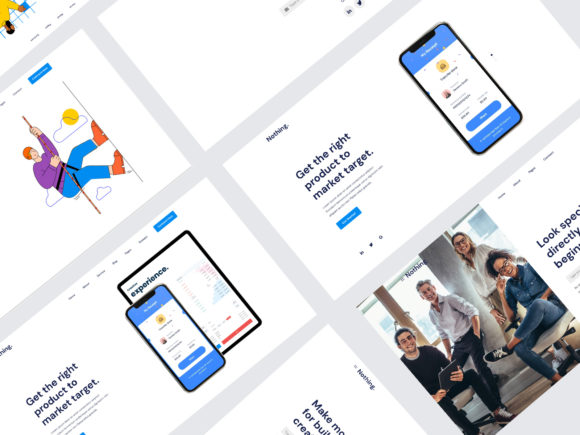
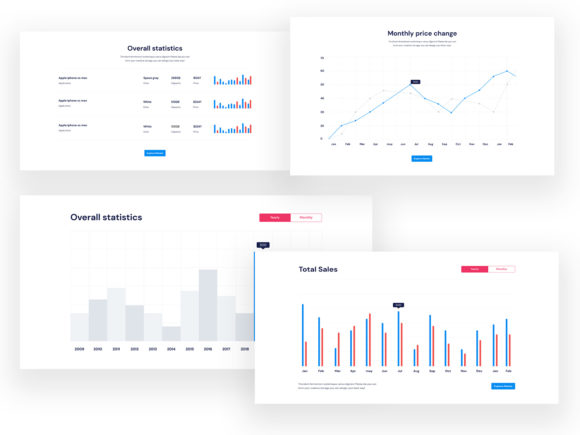
The Nothing UI KIT in Figma is a powerful resource for designers looking to streamline their workflow and elevate their design projects. This comprehensive collection of 400 blocks is carefully crafted to meet modern website guidelines, making it an essential tool for anyone involved in digital design. With its user-friendly structure and extensive range of elements, the Nothing UI KIT offers a seamless experience that encourages creativity and efficiency.
What sets the Nothing UI KIT apart is its organization into 20 popular content categories. This division allows designers to quickly locate the specific elements they need, whether they're working on a landing page, a blog, or an e-commerce site. The kit's attention to detail ensures that each block is fully editable and pixel-perfect, giving users the freedom to customize their designs without compromising quality.
Creative Possibilities with Nothing UI KIT
Designing with the Nothing UI KIT in Figma opens up a world of creative possibilities. The kit includes 43 header section styles and 32 different navigation styles, providing a solid foundation for building unique and engaging user interfaces. These elements can be combined in countless ways, allowing designers to experiment with layouts and visual hierarchies that reflect their brand's identity.
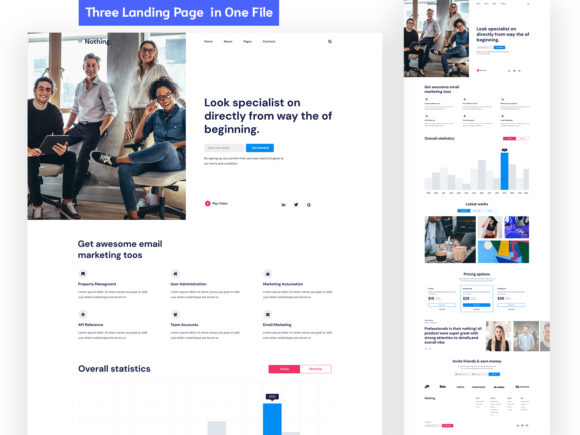
For instance, a designer working on a tech startup's website could use the kit's landing page templates as a starting point, then customize the headers and navigation to align with the company's branding. The inclusion of Bootstrap Grid ensures that designs are responsive and adaptable across various devices, which is crucial in today's multi-platform environment.
Adapting Nothing UI KIT for Different Goals
The versatility of the Nothing UI KIT makes it suitable for a wide range of users and projects. Whether you're a marketer looking to create compelling landing pages or a developer aiming to build a prototype, this kit can be tailored to meet your specific needs. Its well-organized layers and symbols make it easy to adapt the design elements to fit different contexts and audiences.
For educators, the Nothing UI KIT can serve as a valuable teaching tool, helping students understand the principles of good design through practical examples. Similarly, entrepreneurs can leverage the kit to create professional-looking websites without the need for extensive design expertise. The availability of Google Fonts and vector shapes further enhances the kit's flexibility, enabling users to explore various typographic and visual styles.
Practical Applications and Recommendations
When using the Nothing UI KIT in Figma, it's important to consider how to maintain clarity and consistency in your designs. Start by selecting a few key elements from the kit that align with your project's goals. For example, if you're designing a portfolio site, focus on the header and navigation styles that best showcase your work.
Additionally, take advantage of the style guide and text styles provided in the kit to ensure a cohesive look throughout your design. This not only improves the user experience but also reinforces your brand's identity. By keeping your design elements organized and well-documented, you'll save time during the development process and reduce the risk of inconsistencies.
Enhancing User Experience with Nothing UI KIT
One of the most significant benefits of the Nothing UI KIT is its ability to enhance user experience. The kit's focus on usability and accessibility ensures that designs are not only visually appealing but also functional. By incorporating elements that are easy to navigate and interact with, designers can create interfaces that resonate with their target audience.
For instance, a designer working on a mobile app could use the kit's navigation styles to create a seamless user journey, ensuring that users can easily find what they're looking for. The inclusion of vector shapes and symbols also allows for the creation of intuitive icons and graphics that support the overall design language.
Conclusion
The Nothing UI KIT in Figma is a valuable asset for any designer seeking to improve their workflow and create high-quality digital products. With its extensive collection of blocks, organized structure, and versatile elements, this kit empowers users to bring their creative visions to life. Whether you're a seasoned professional or just starting out, the Nothing UI KIT offers the tools and resources needed to design effectively and efficiently.